Trades and home services: leads answered in minutes, every job on one board
Contractors, restoration, landscaping, cleaning and repair. We build the lead capture that replies before you are off the roof, the quoting flow that turns a site visit into a signed estimate, and the dispatch board your crew works from.
Sound familiar?
- A lead comes in at 9 PM. By the time you call back at 7 AM, they have booked the company that answered.
- The estimate gets typed up at the kitchen table two nights later, and half of them never go out.
- The schedule is a group text. A crew shows up at the wrong address, or two crews at the same one.
- Photos of the job live on four phones, and nobody can find the before picture when the invoice is disputed.
What we build for you
A form or a text line that replies instantly, asks the three questions you always ask, and books the site visit.
Your price list as line items on a phone, photos attached, signed on screen, deposit taken.
One board: new, quoted, scheduled, in progress, done. Each job with its address, crew, photos and notes.
A reminder before the visit, an invoice when the job is marked done, a review request after.
Built for trades and home services
Real work, live today. Every card opens the case study.
What the crew side looks like
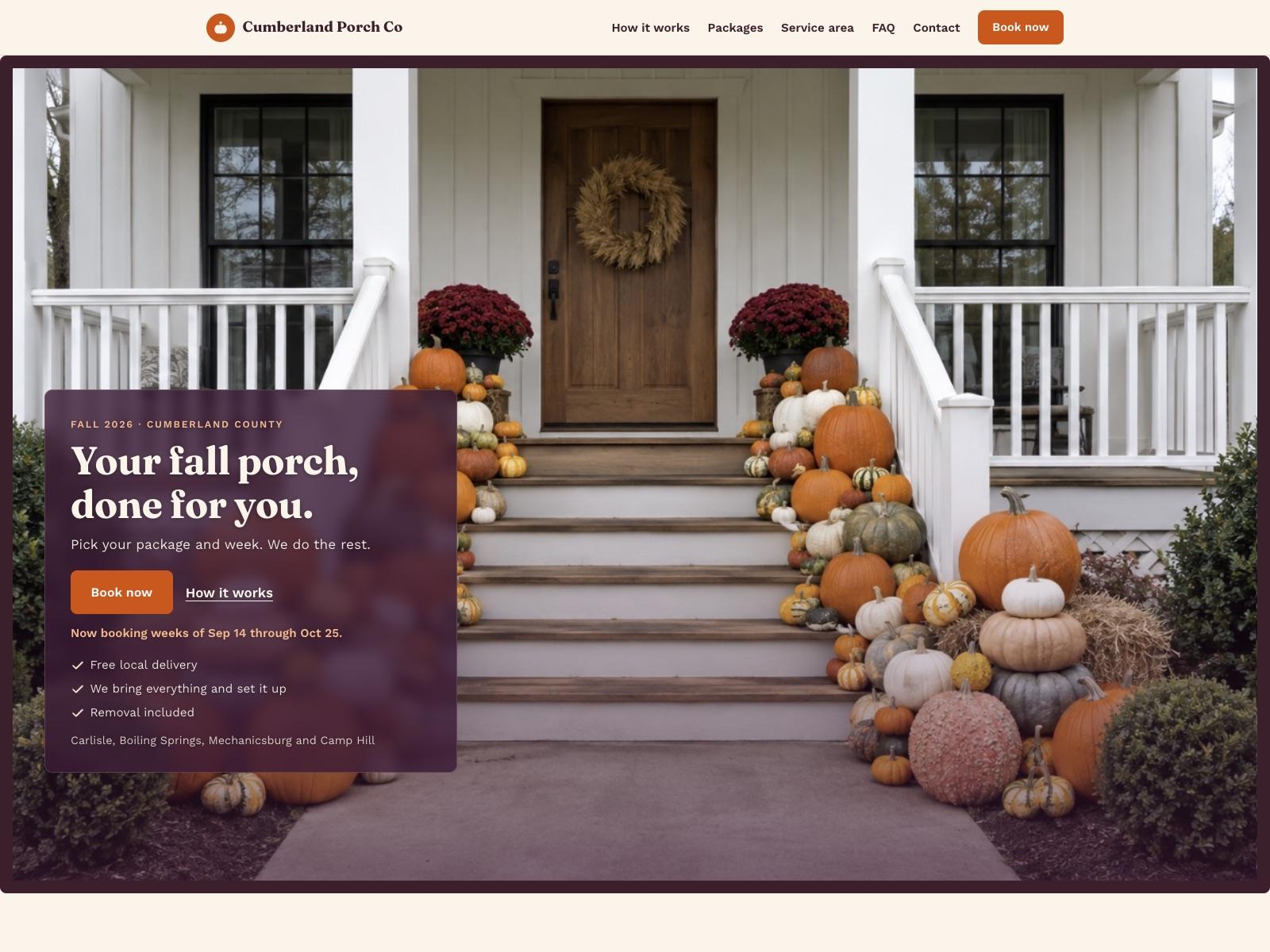
The porch service above covers booking and payment. For a crew that quotes and dispatches, here is the rest of the build, from the first lead to the paid invoice. Described as what we build, not as a past engagement.
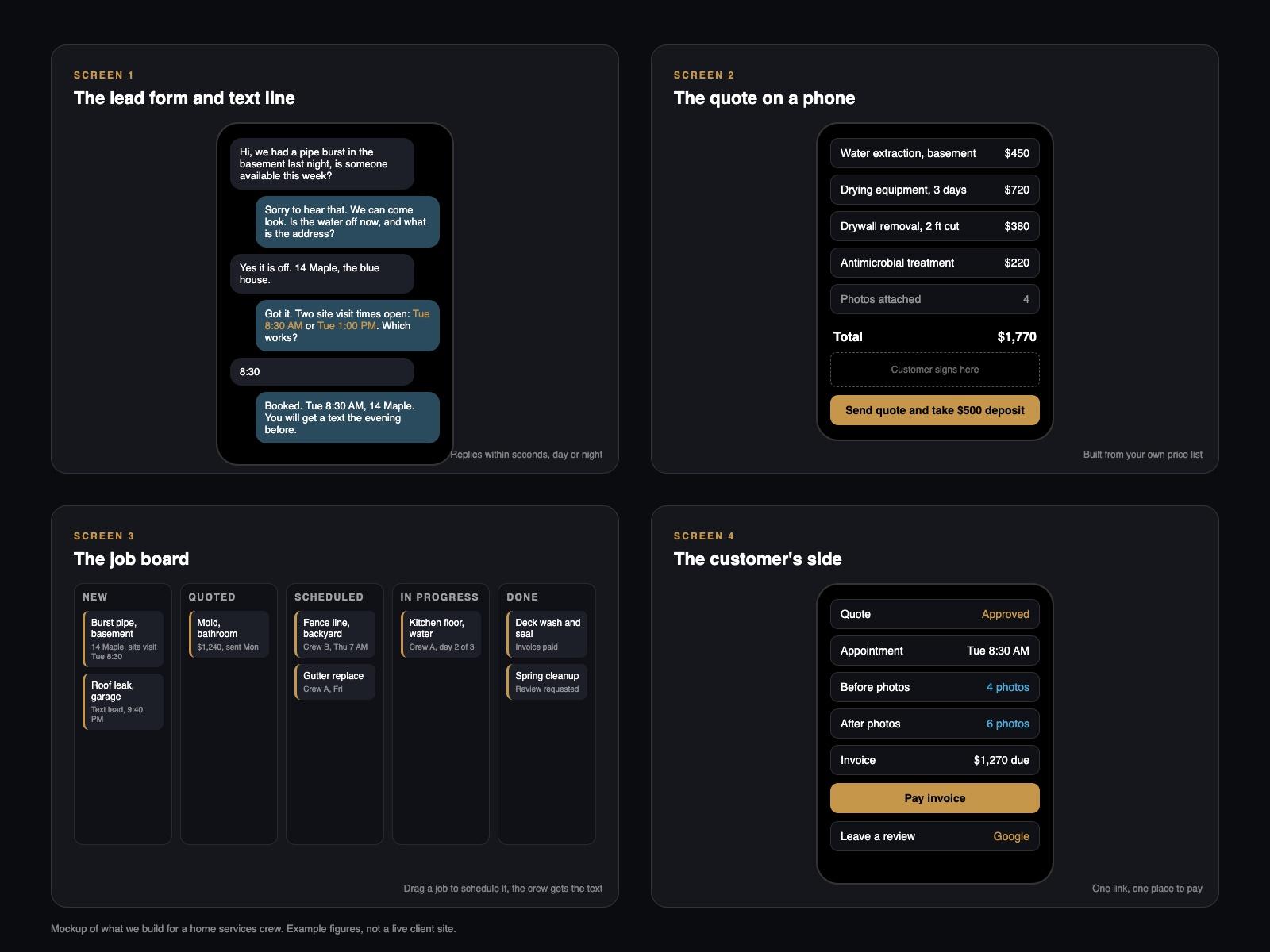
- Screen 1The lead form and text line
A short form on your site and a text number. Either one replies within seconds, asks what the job is, where, and when they can be there, and offers two site-visit times pulled from your calendar.
- Screen 2The quote on a phone
Your price list as tappable line items, a photo per item, a total that updates as you tap. The customer signs on the screen and pays the deposit before you leave the driveway.
- Screen 3The job board
Five columns: new, quoted, scheduled, in progress, done. Each card holds the address, the crew, the photos and the notes. Drag a job to schedule it and the crew gets the text.
- Screen 4The customer's side
A link with the quote, the appointment, the before and after photos, and the invoice. One place to pay and one place to leave the review.
Companies that tried to contact a web lead within an hour were nearly seven times as likely to qualify it as those that waited even one more hour, and more than 60 times as likely as those that waited a day. That is the gap the instant reply closes.
Source: Harvard Business Review, The Short Life of Online Sales Leads (Oldroyd, McElheran and Elkington), a study of 1.25 million leads across 42 companies, March 2011.
Services that apply
Questions trades and home services owners ask us
- Can you add lead capture to the website I already have?
- Yes. The form, the instant reply and the booking flow drop into the site you have. If the site is the problem, we rebuild it around the form.
- Can I write a quote on my phone at the job site?
- Yes. The quote is built from your price list as line items, with photos and a signature on screen. It saves as you go, and the customer gets the PDF and a link to pay the deposit.
- Will it work with the invoicing I already use?
- Jobs marked done can send an invoice through Stripe from the same record, and the board exports to your accounting. We connect to what you already use where it has an integration.
- When does custom make sense instead of an off-the-shelf field service app?
- Off-the-shelf tools fit many crews well. Custom makes sense when your quoting rules, your crews or your customer flow do not fit the templates, and you want one tool instead of four.
- How fast can we start taking leads?
- The lead form and the instant reply go live in the first week. Quoting and the job board follow once we have watched real leads come in.
Tell us what your business needs.
One call to scope the smallest version that solves the problem. A working version in your hands by the end of week one.
Start a project